Table of contents
Install Uncomplicated Firewall (UFW) on Debian Linux
Install and configure Uncomplicated Firewall (UFW) on Debian Linux
Install UFW
# refresh package index
apt update

# install ufw
apt install ufw
Configure UFW
# allow ssh from one ip address
ufw allow from 192.168.1.100/32 to any port 22

# allow ssh from a network range
ufw allow from 192.168.1.0/24 to any port 22

# allow http and https
ufw allow 80
ufw allow 443
Enable UFW and check status
# enable ufw
ufw enable

# check status of ufw
ufw status

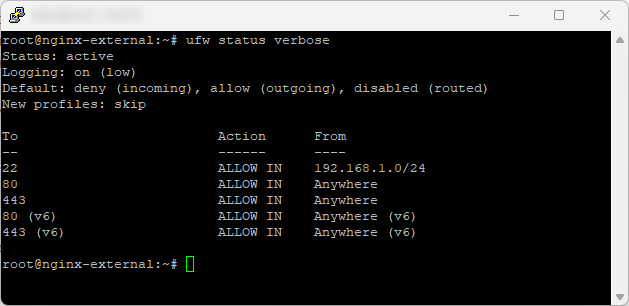
# check status verbose
ufw status verbose
The default deny incoming rule will block all inbound traffic unless you've added a rule to allow it
# allow ssh from one ip address
ufw allow from 192.168.1.100/32 to any port 22

# allow ssh from a network range
ufw allow from 192.168.1.0/24 to any port 22

# allow http and https
ufw allow 80
ufw allow 443